How To Auto Retrain Your Chatbot
Learn how to automatically retrain your chatbot when your website is updated.
Watch this over view video to understand how to automatically retrain your chatbot from the supplied data. Alternatively, follow the step by step instructions below.
Navigate to https://app.fastbots.ai/
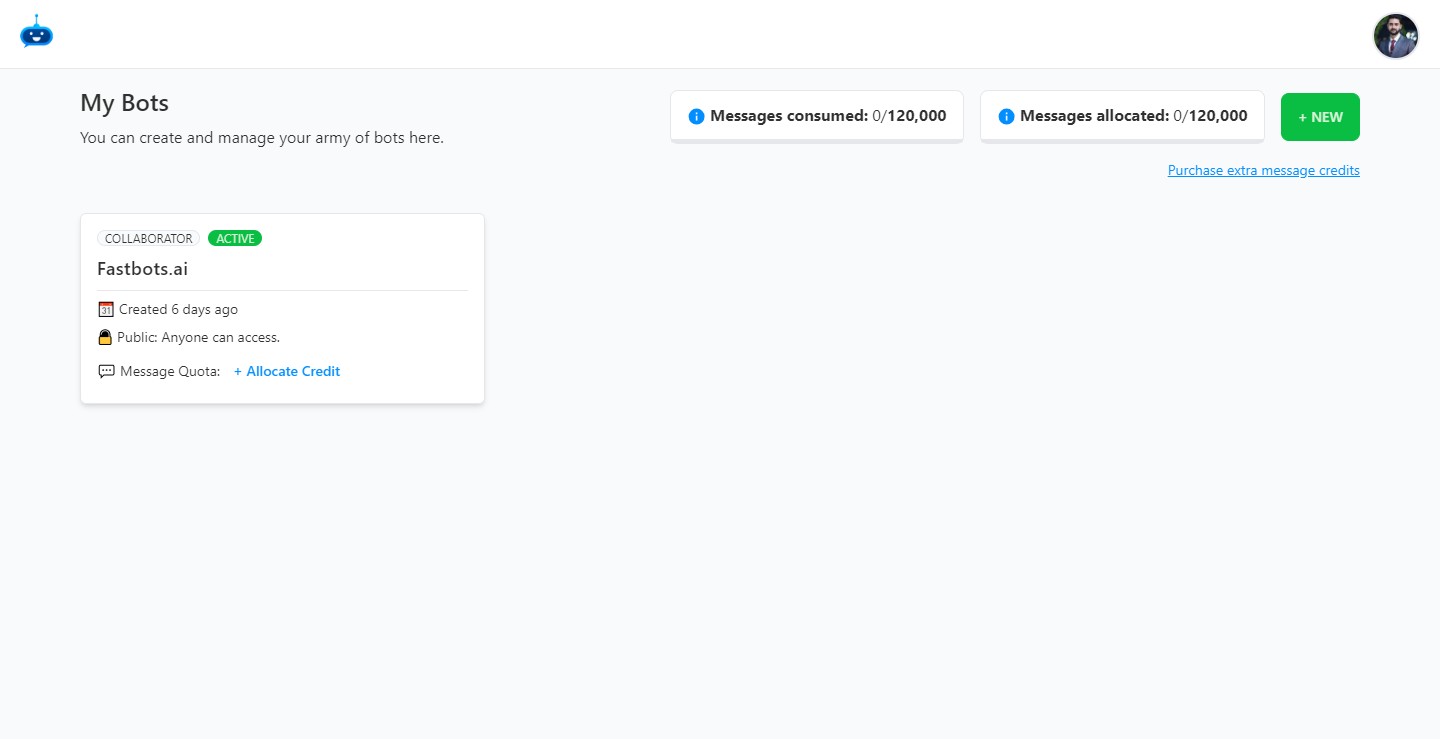
Click on your Chatbot to open it.

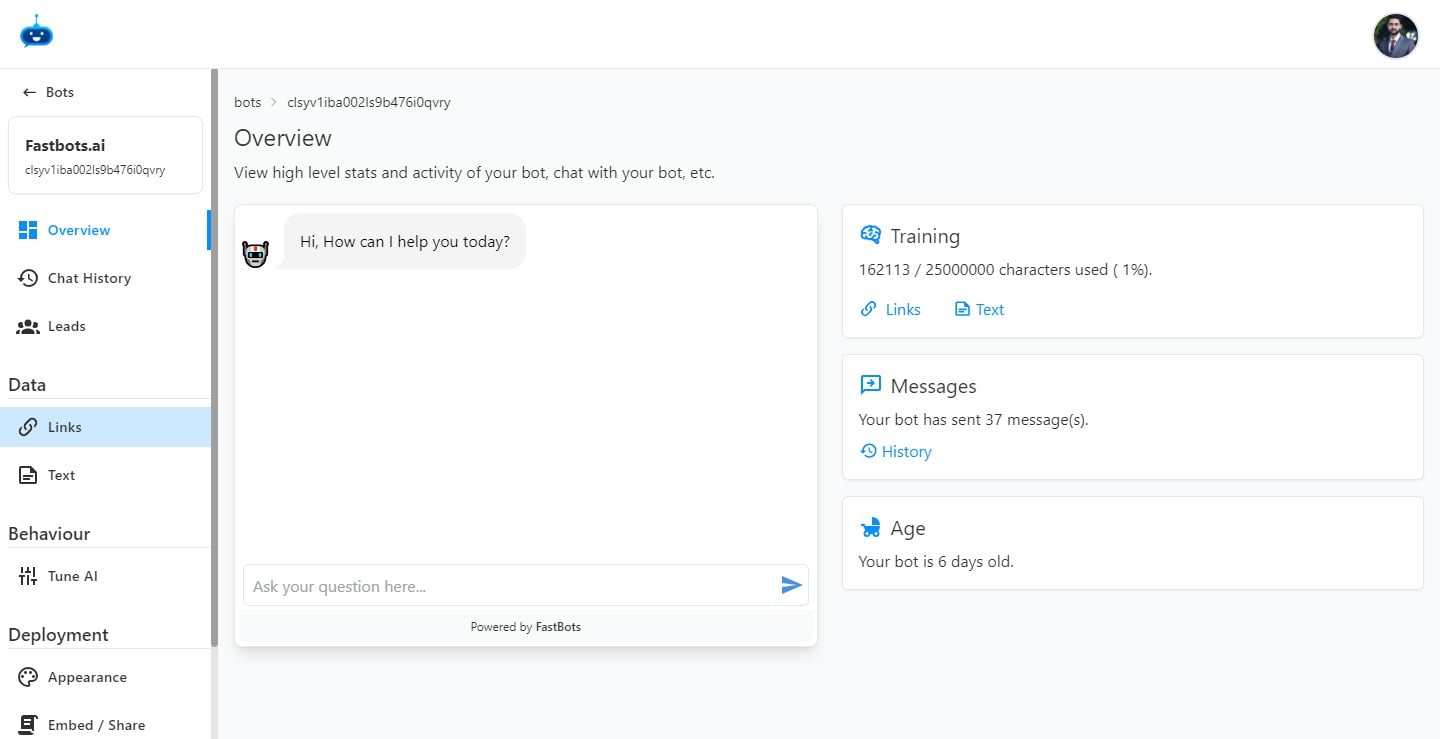
Click on "Links" to go to the links page.
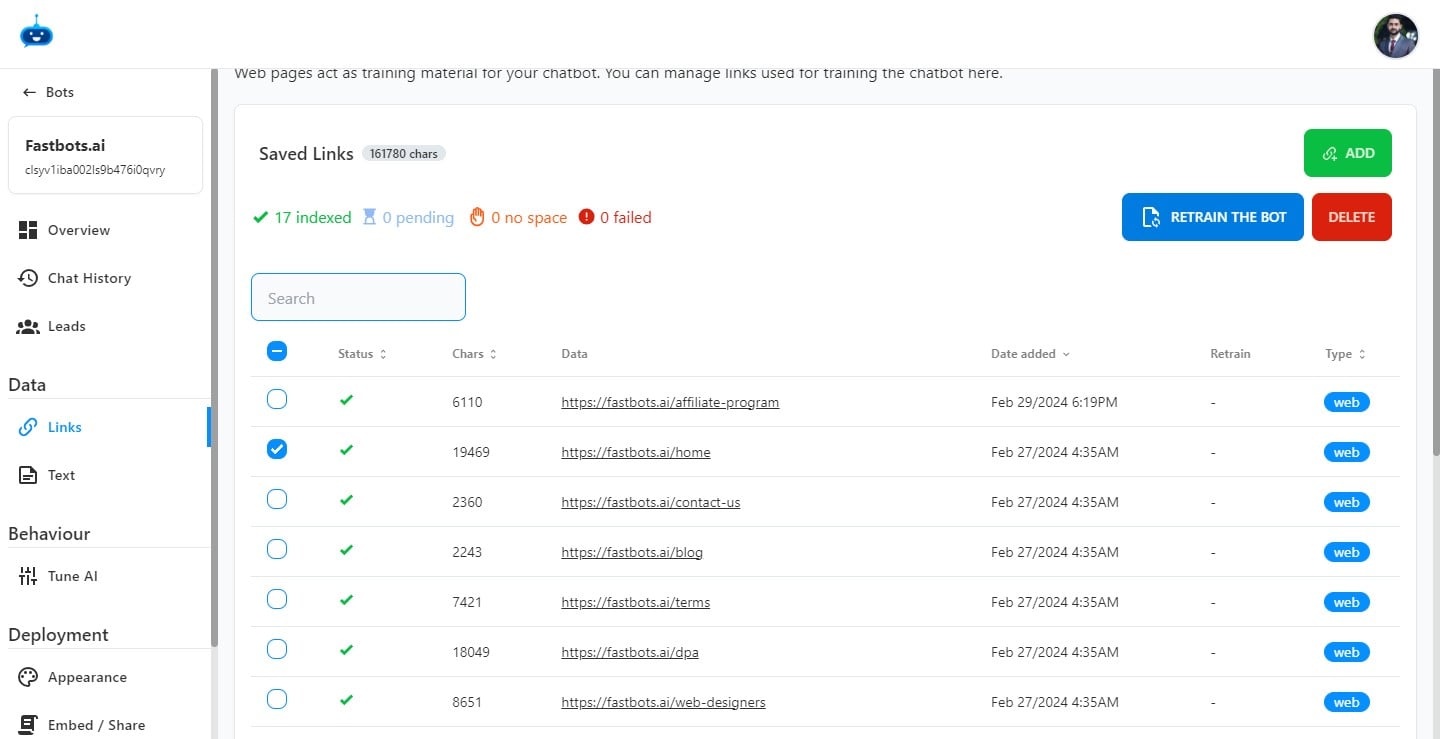
Select the links you would like to auto-retrain.
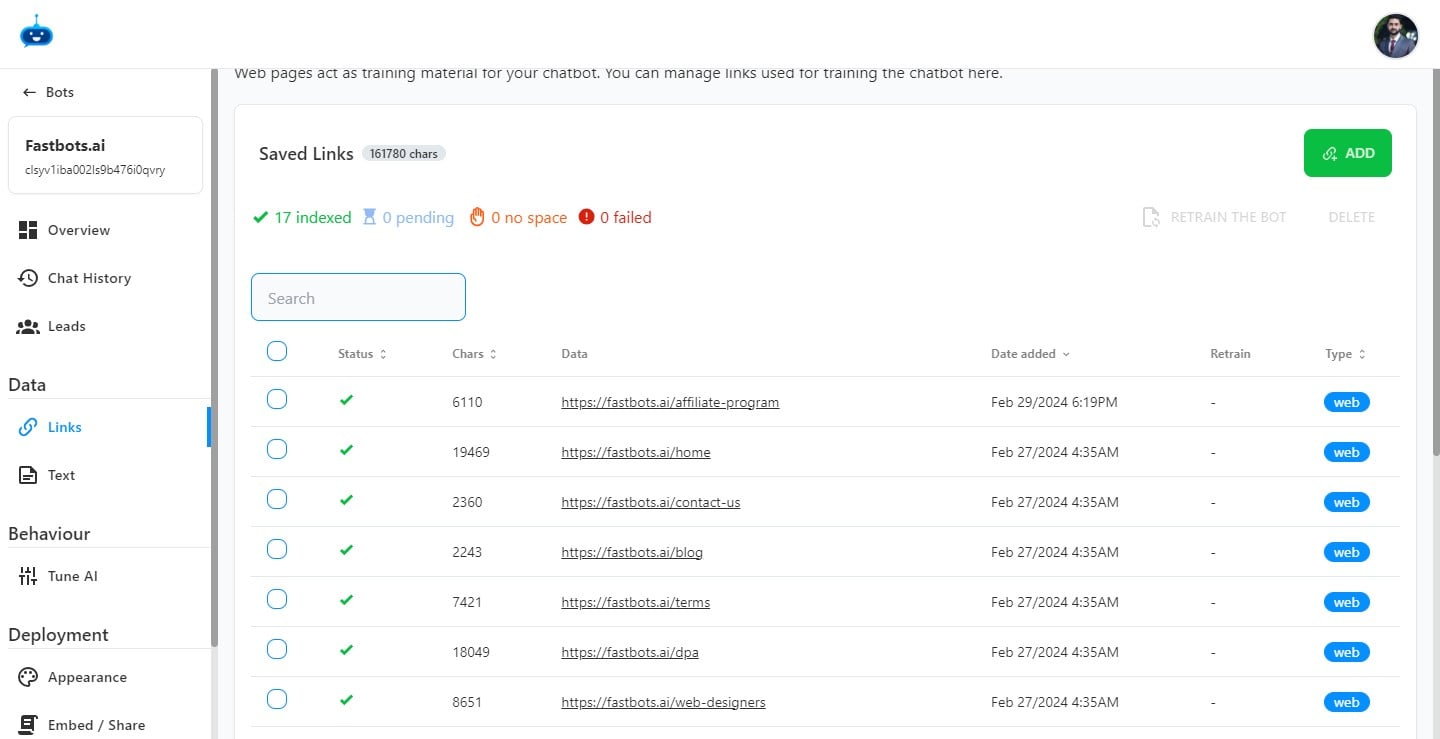
Select the URL for which you want to retrain the chatbot by click on the "Checkbox"
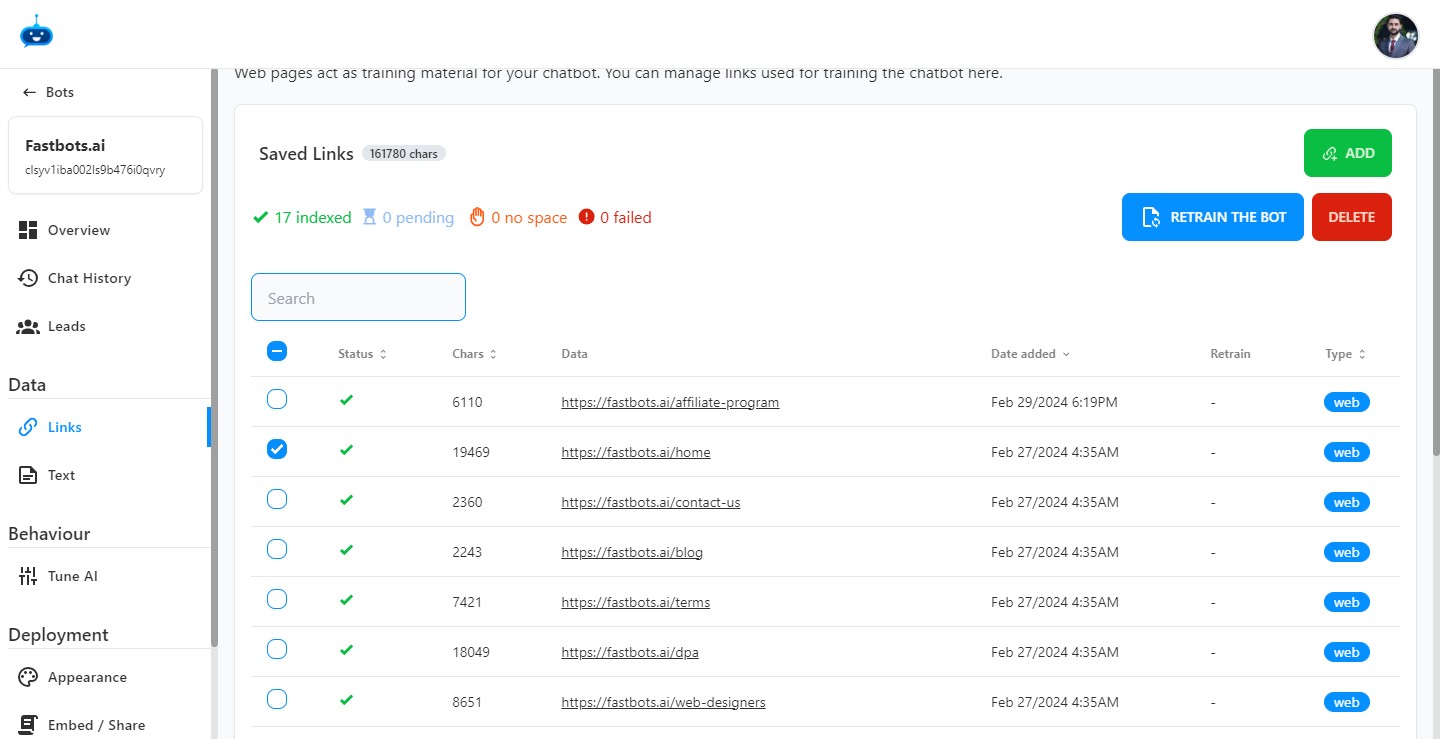
After selecting the URL, click on "Retrain The Bot" button.
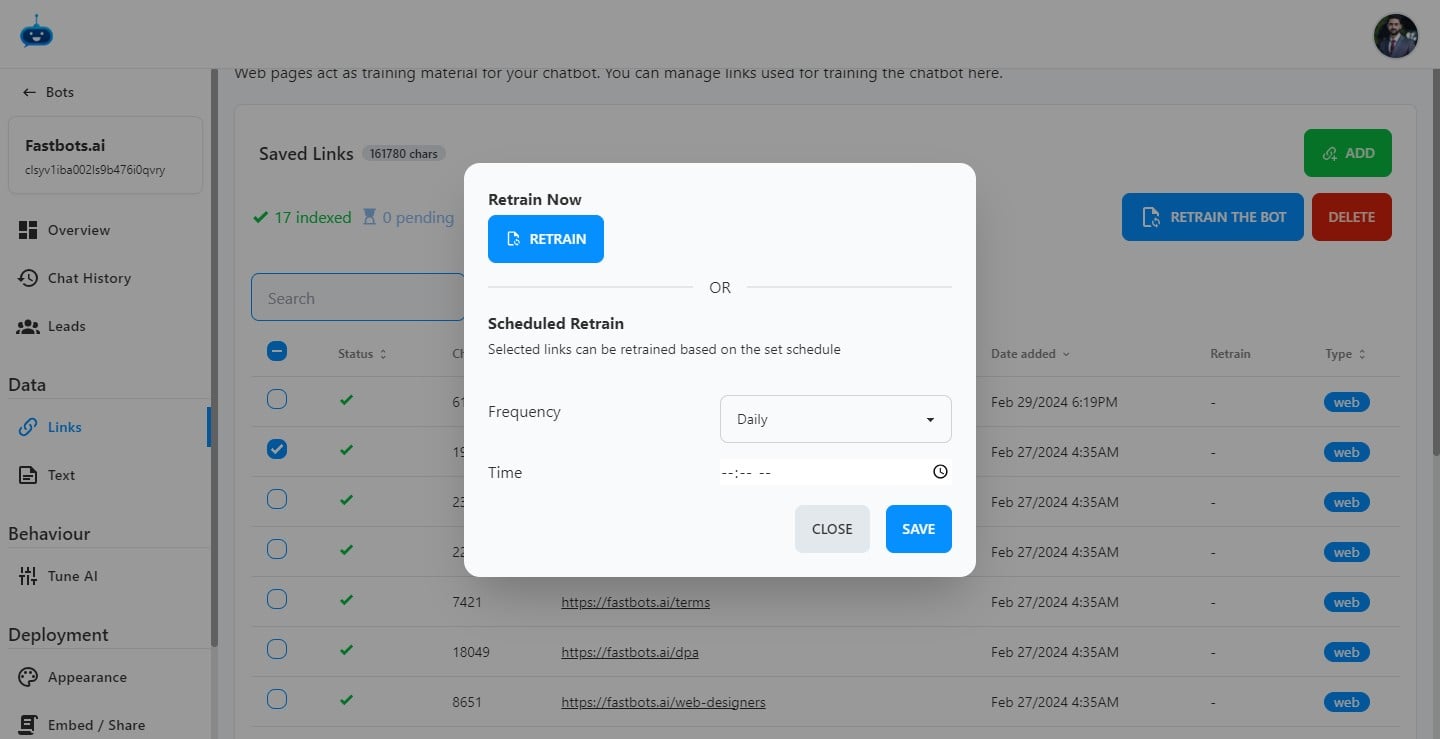
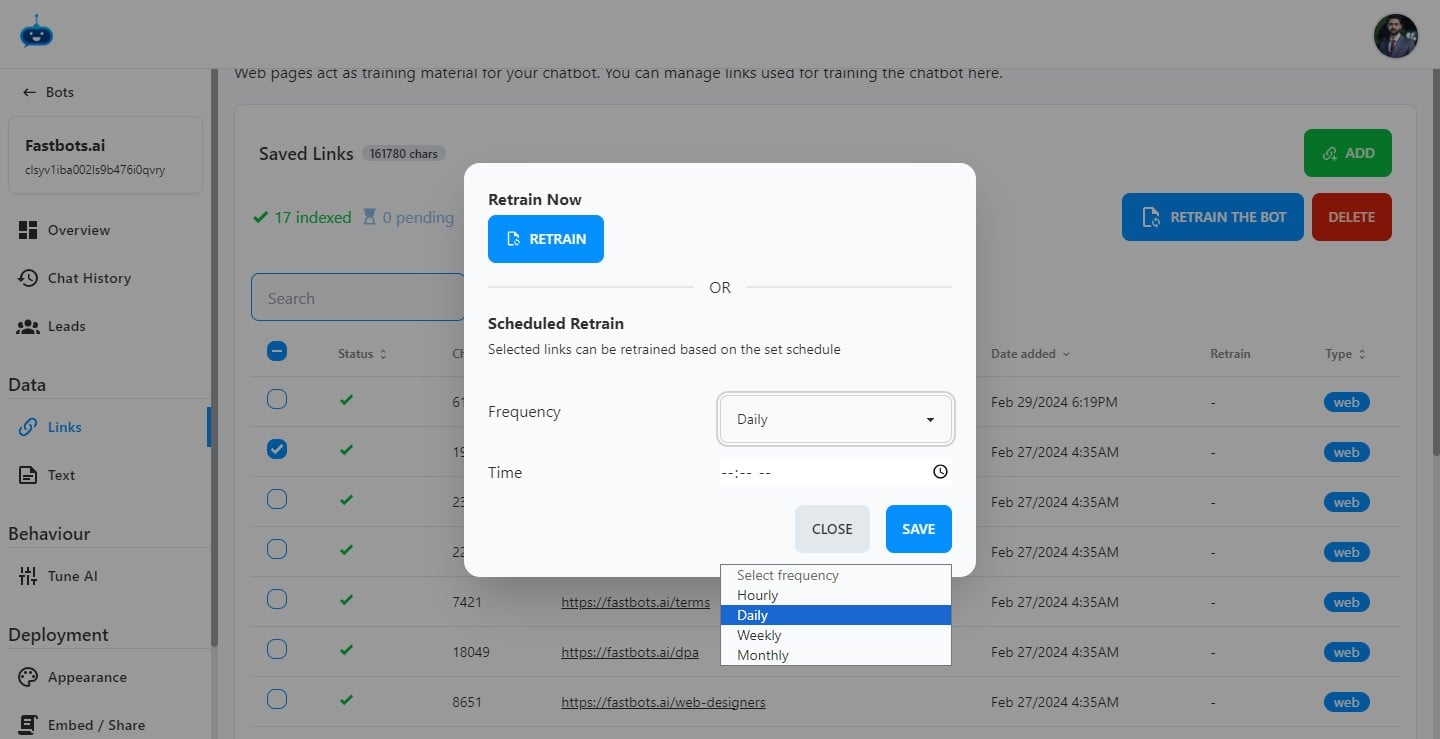
Here you see two options. You can either Retrain the bot now or you can set a frequency on which the Chatbot should auto-retrain after a certain period of time.
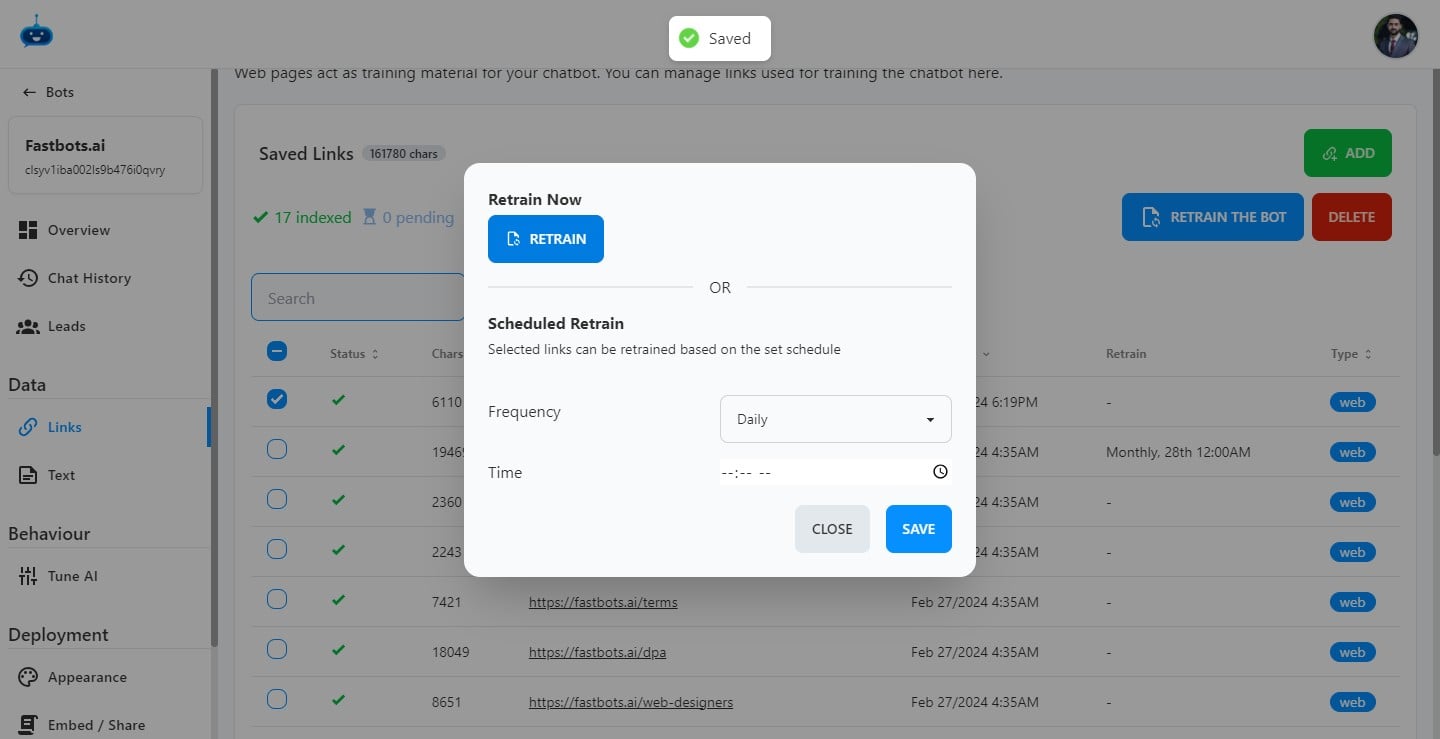
If you want to Retrain the Chatbot for just once, just click on the "Retrain" button.
It will start Retraining the Chatbot and you will see the status as Pending.
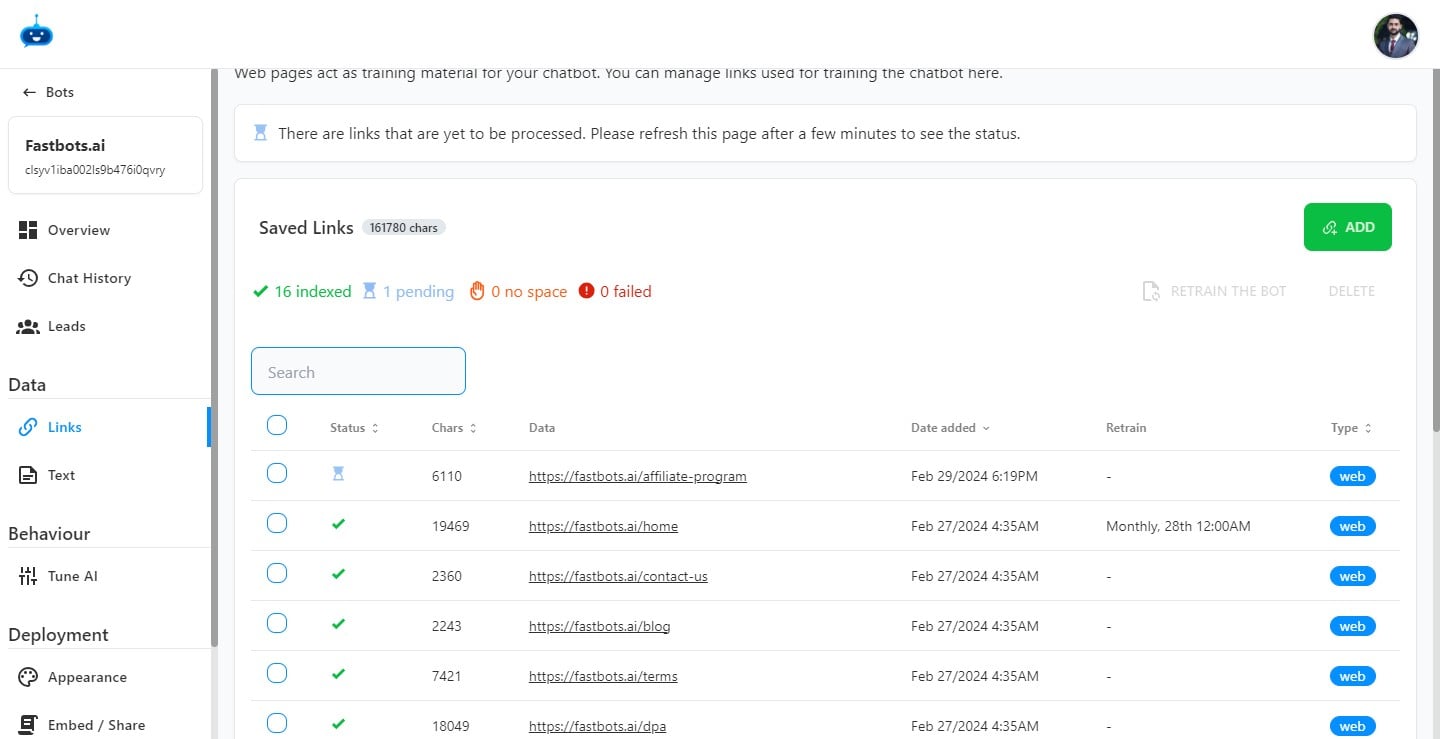
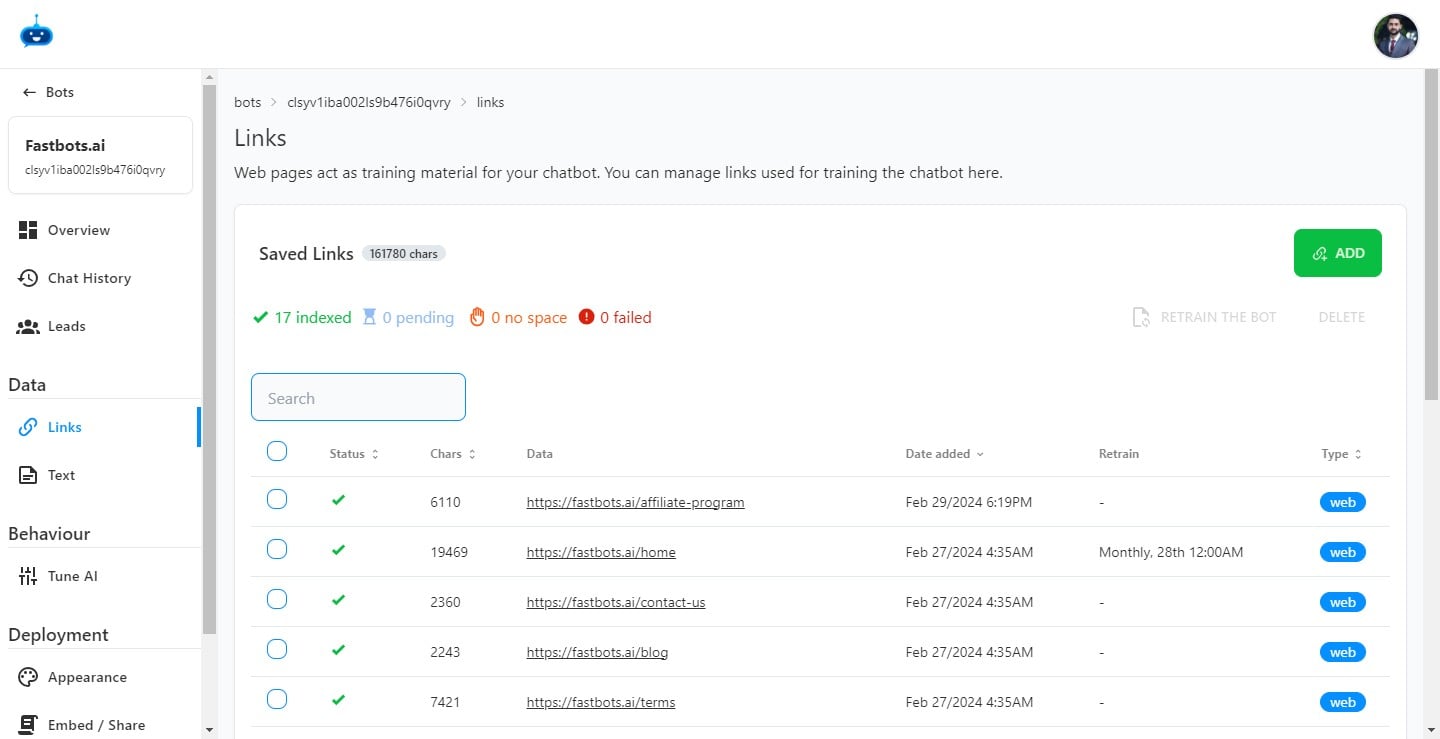
Refresh the app to make sure that the Chatbot is retrained and you see a Green Tick under the Status column.
If you want to set a frequency, click on the "Drop Down" menu where it says "Daily".
After selecting the frequency, click on "Select day of the month" option.
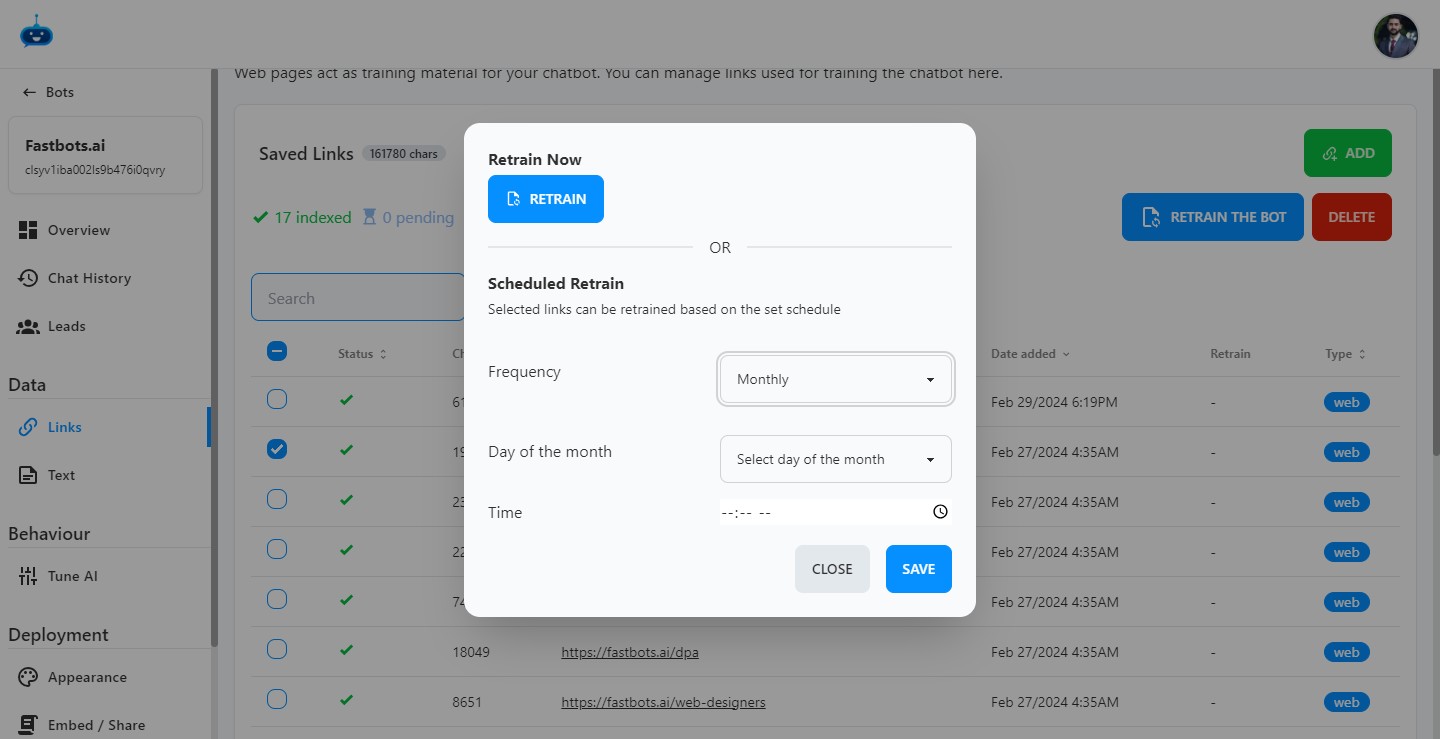
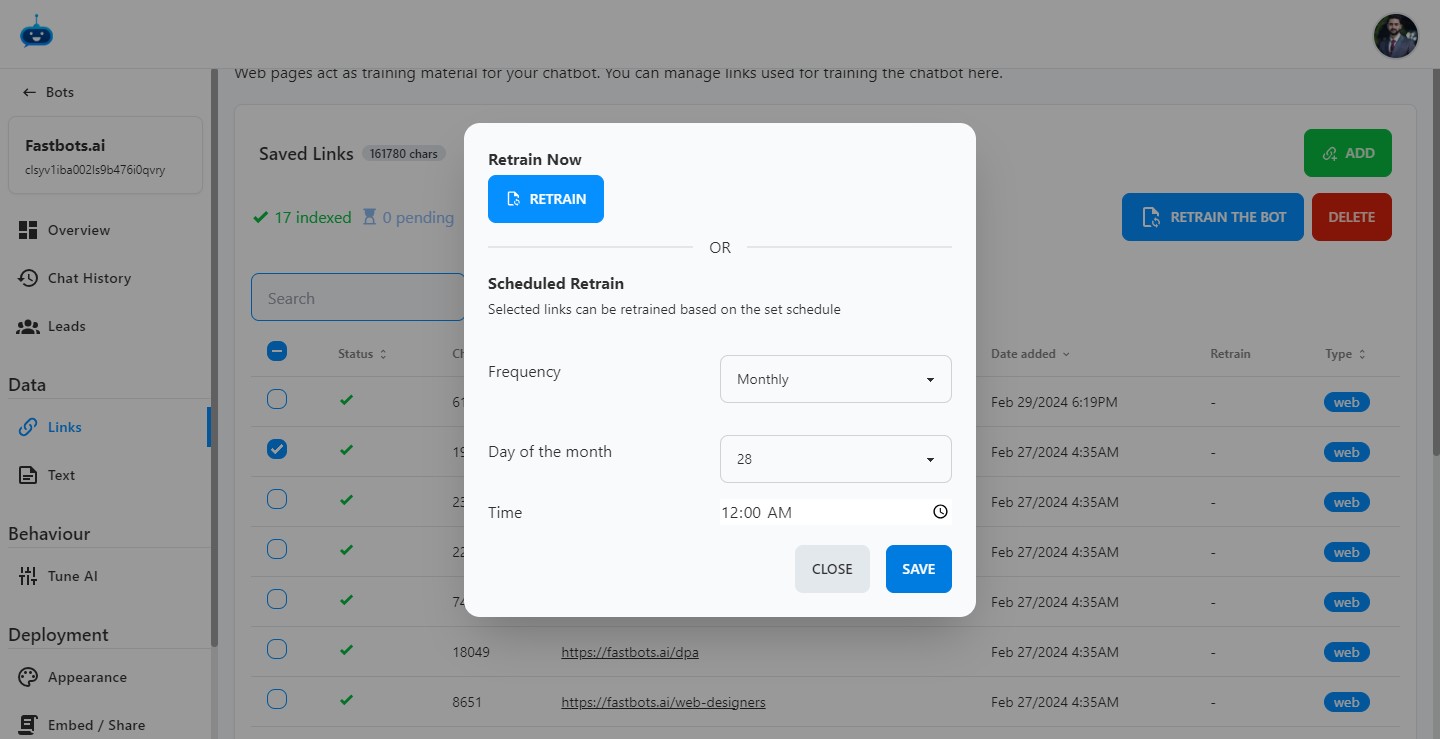
Now, you can set a time at which you want the Chatbot to auto-retrain.
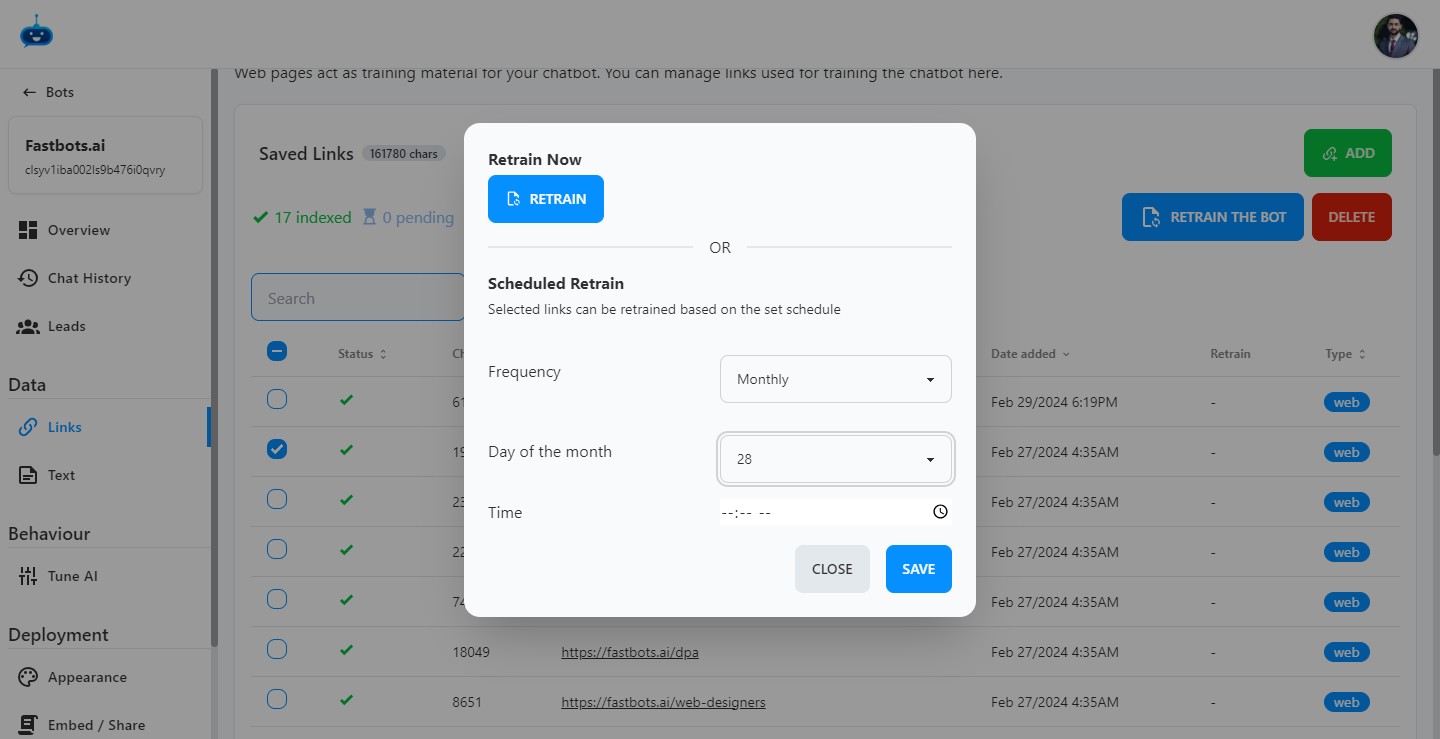
Click this icon
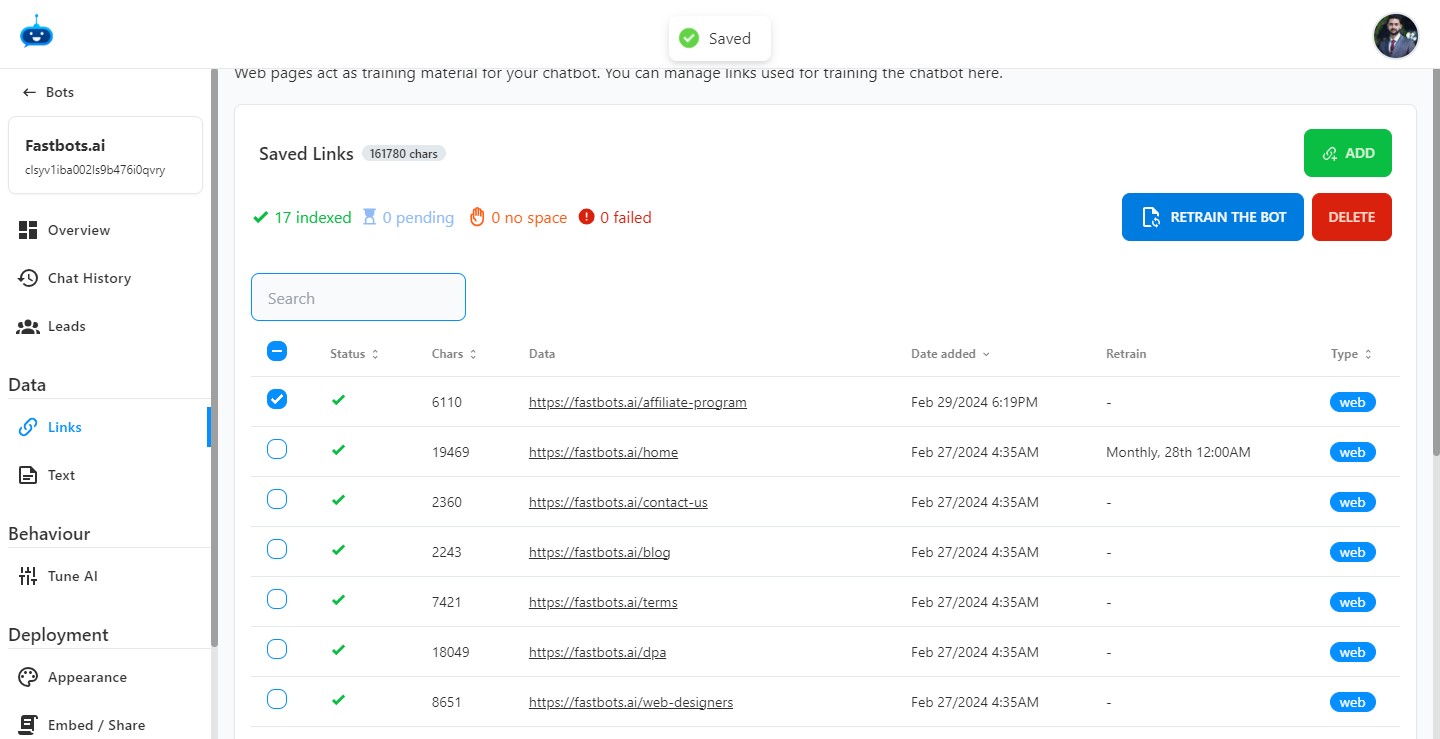
Click on the "Save" button to save all the changes.
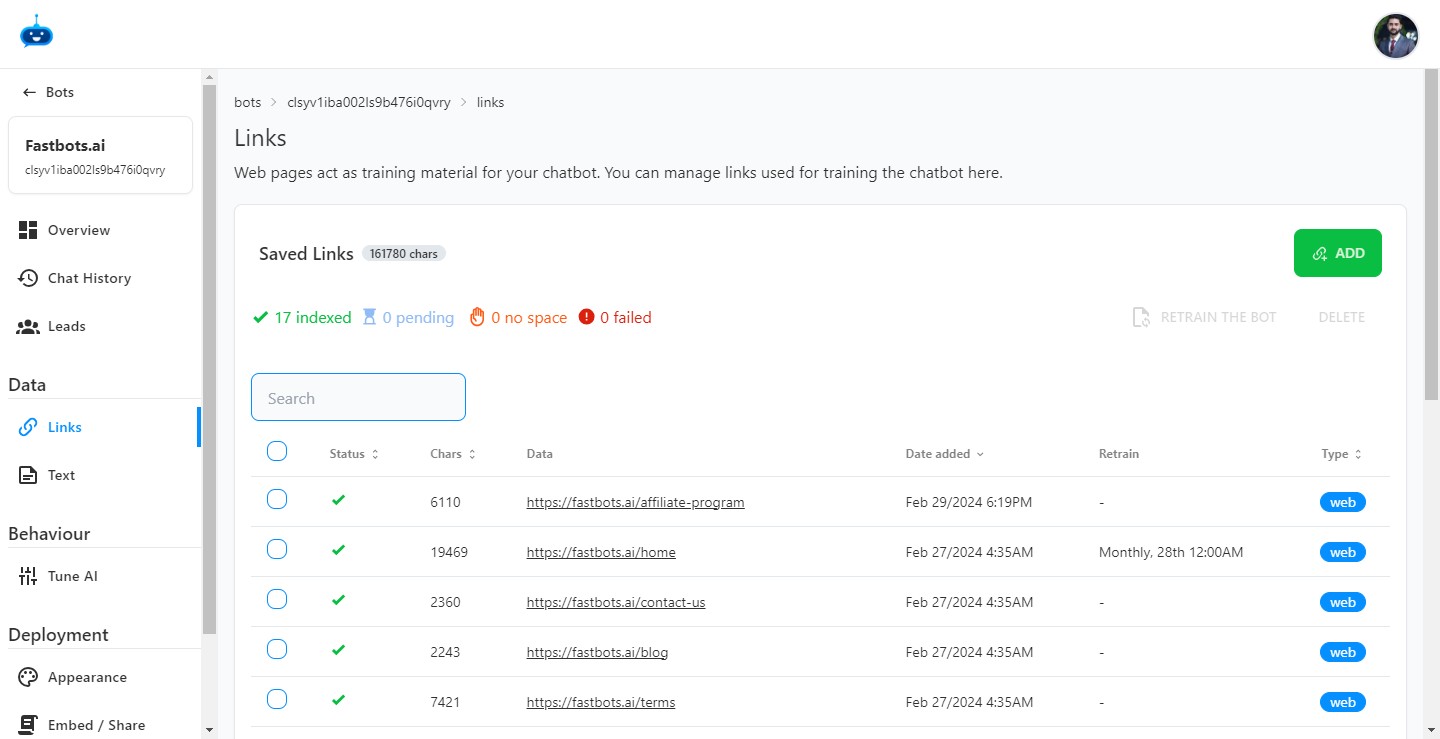
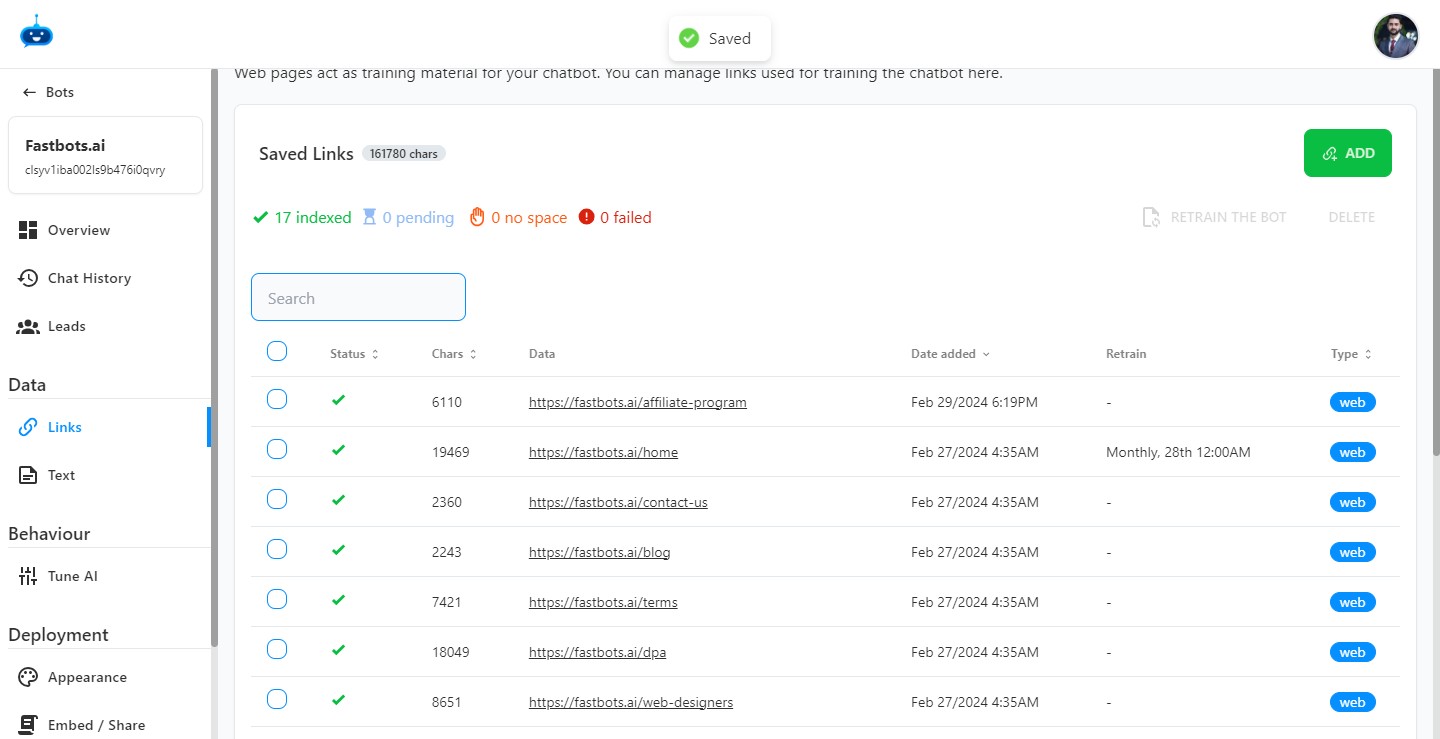
After clicking save, you will see the Auto-Retrain frequency details under the "Retrain" column.
Done 🚀