How To Remove The “Powered By FastBots” Branding
This guide will walk you through the steps to remove the "Powered by Fastbots" text from the chatbot window by using the Remove Branding option.
Nov 30, 2024●
1
Navigate to https://app.fastbots.ai/
2
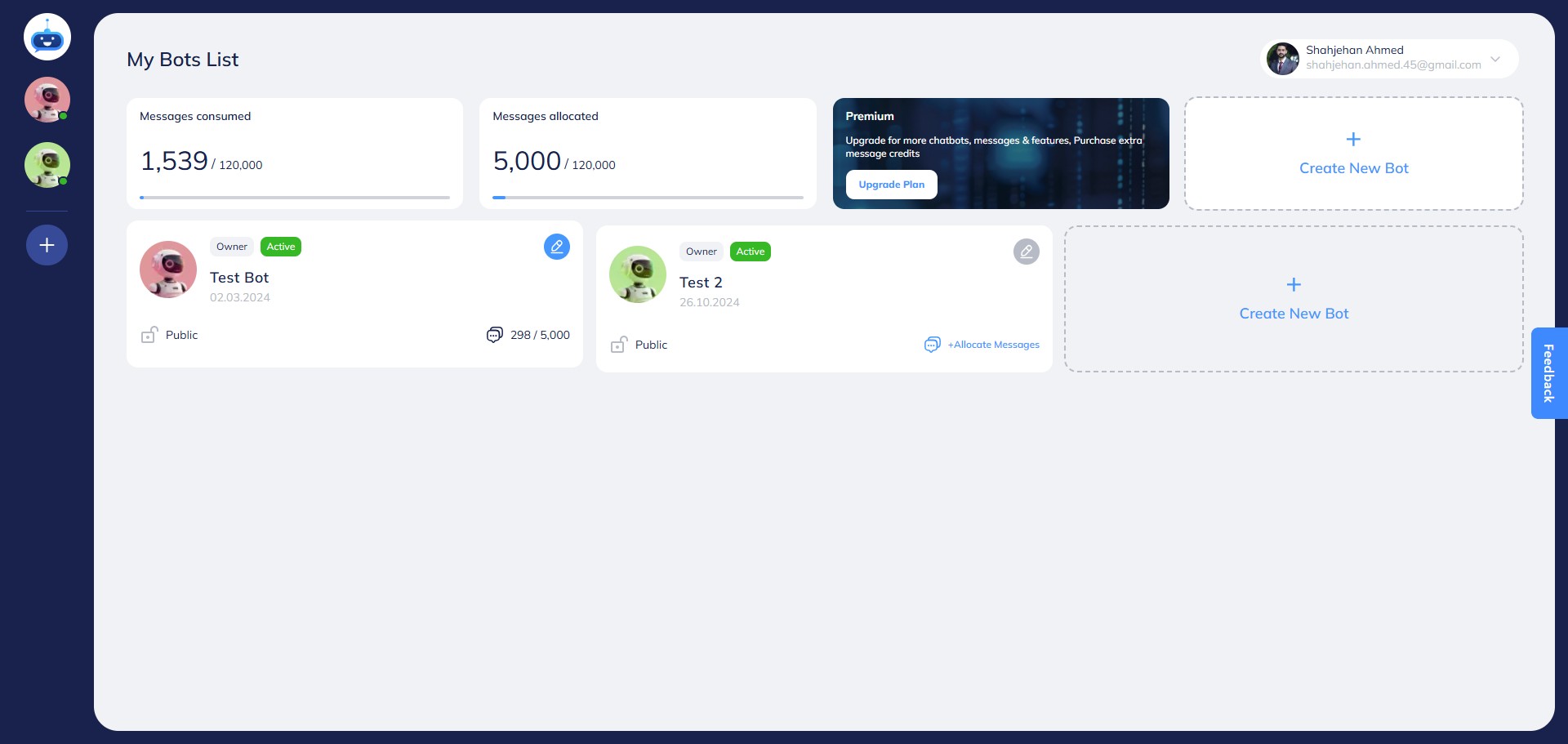
Click on the Chatbot to open it.

3
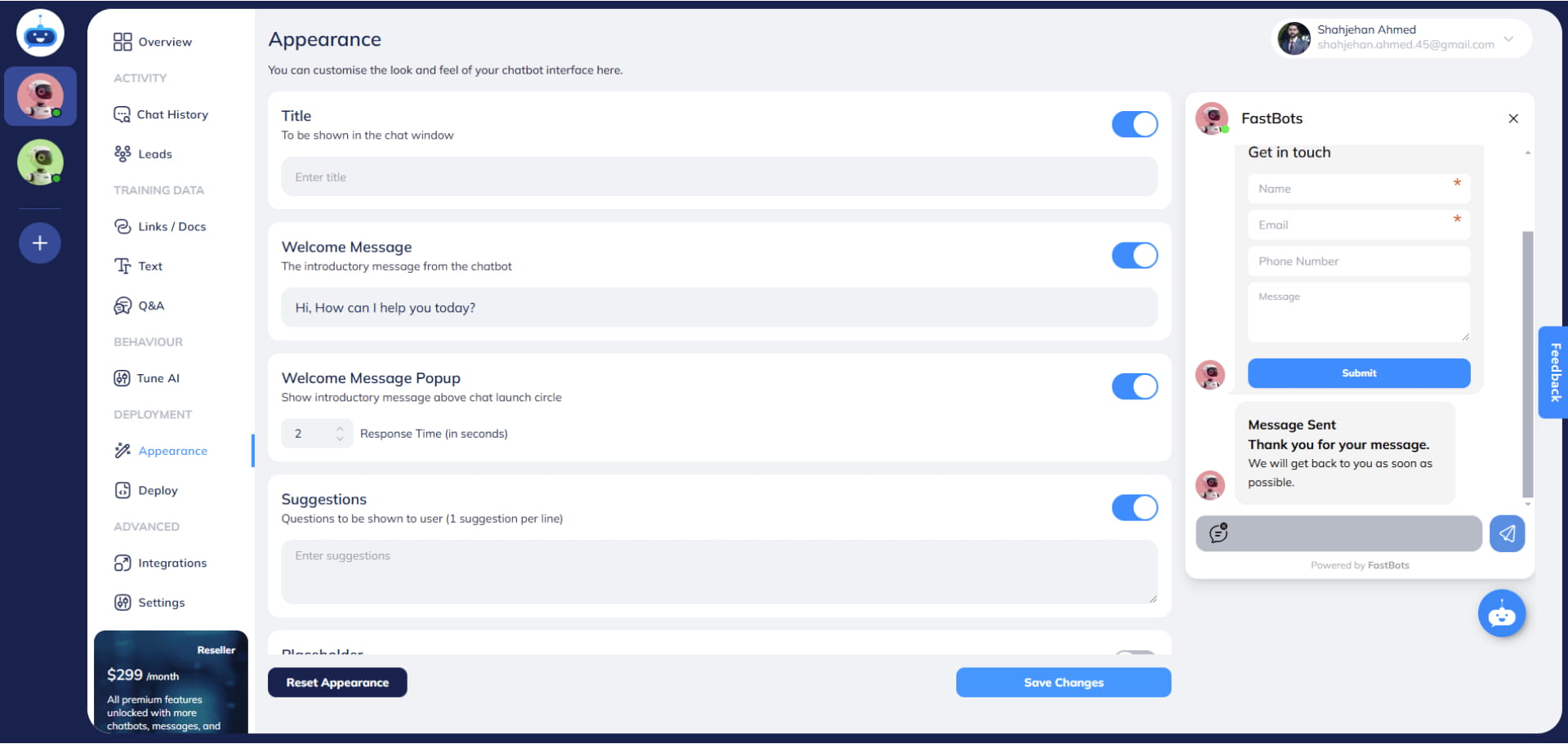
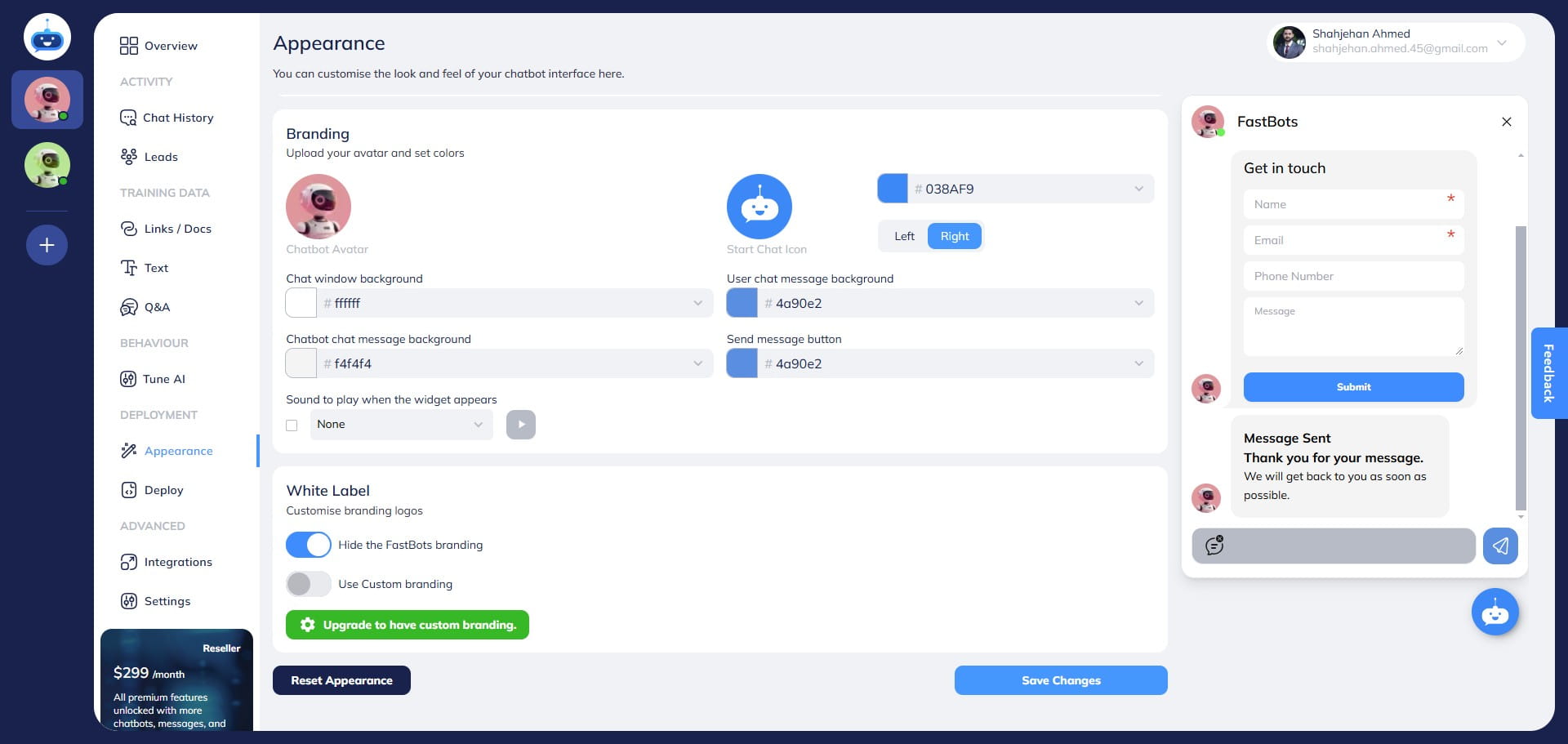
Click on "Appearance" to open the page.
4
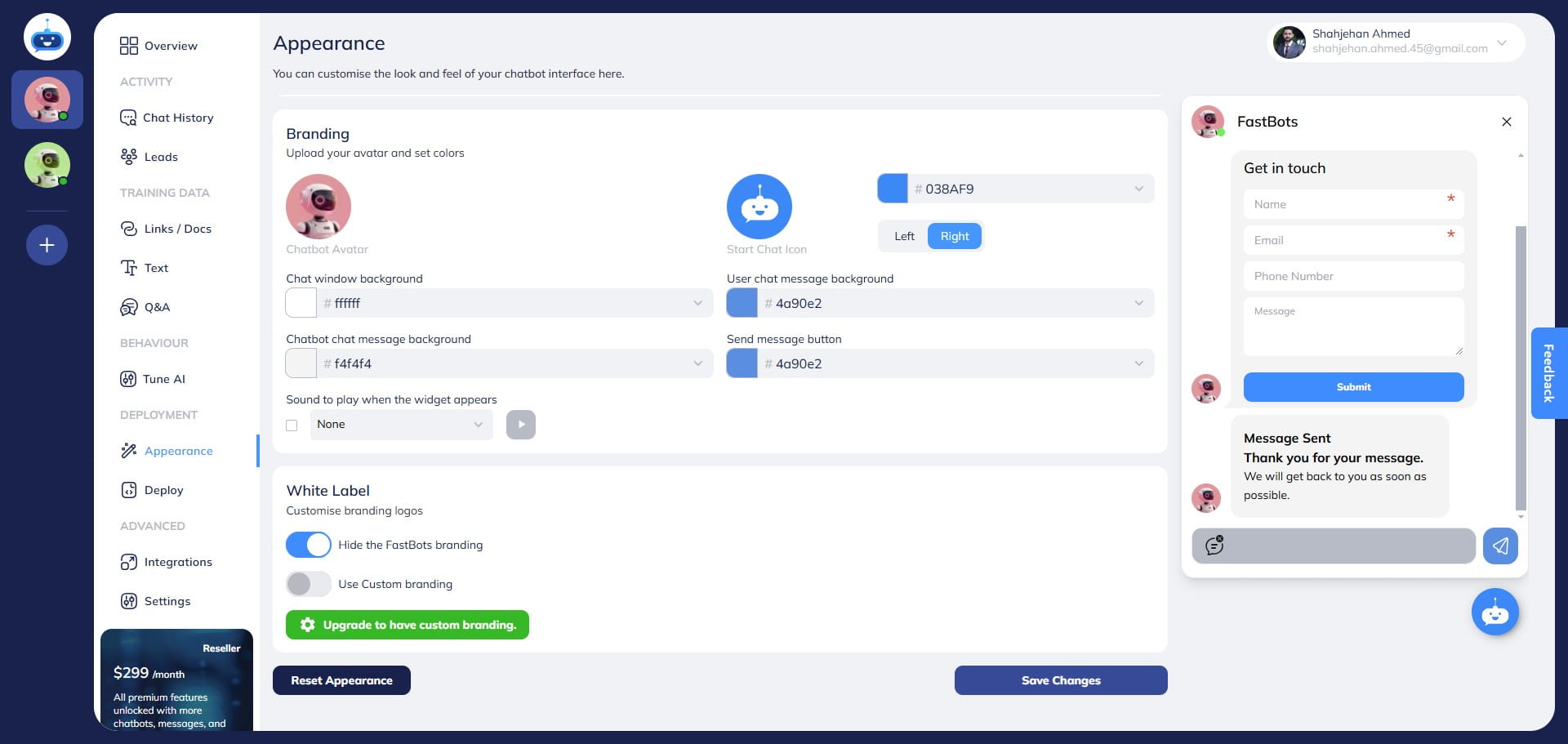
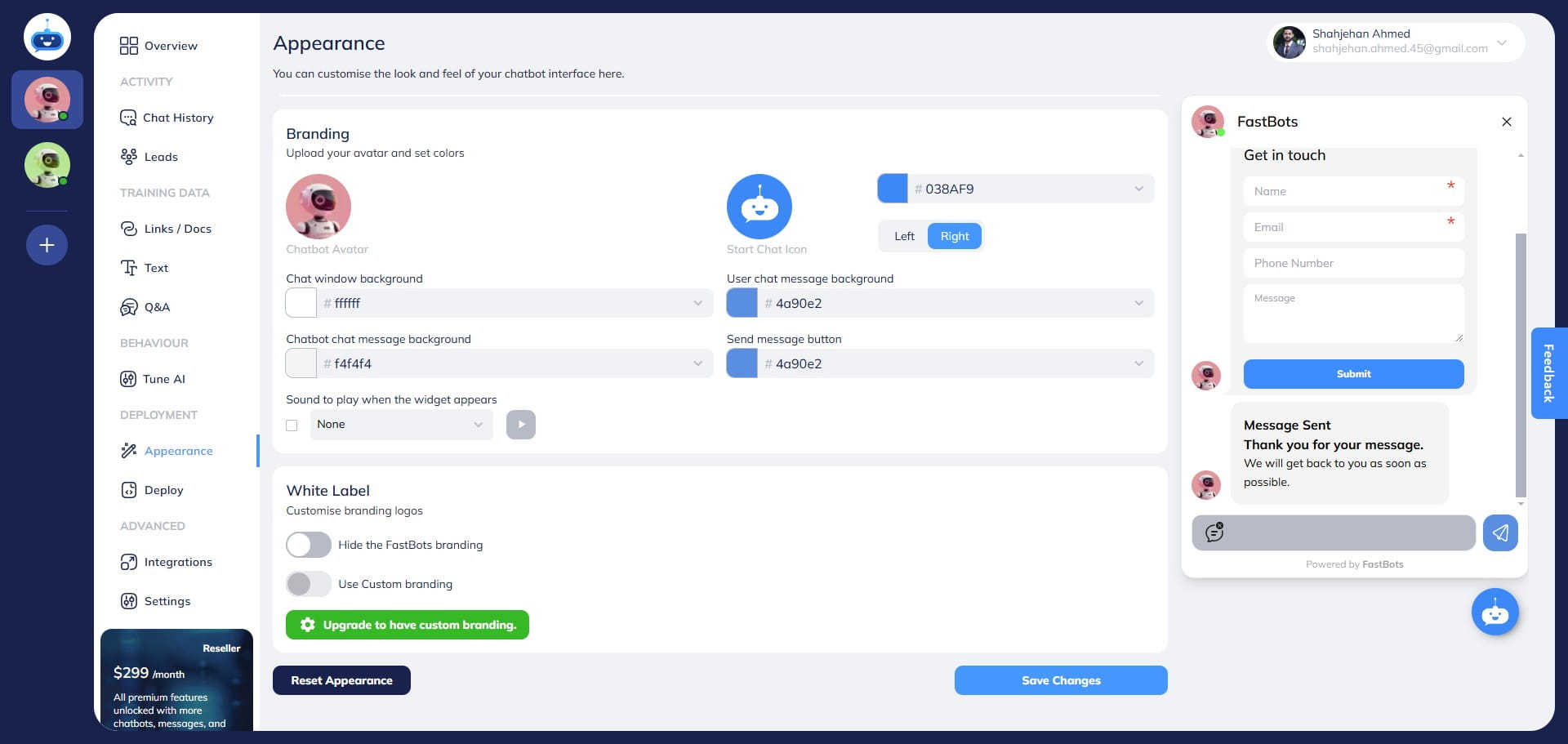
Scroll down to the bottom of the page and turn on the "Hide the Fastbot Branding" button.
5
Click on the "Save" button.
6
Done 🚀 "Powered By Fastbot" branding has been removed successfully from the bottom of the Chatbot window.