

How to Use FastBots in Claude
Connect FastBots to Claude, create and train a private website chatbot, and test its answers in the FastBots dashboard. Learn how to review answers, customise its appearance and prepare for publication.
Create a chatbot, train it on your website and test its answers.
Get ready
Have your FastBots account and website address ready.
Open Connectors
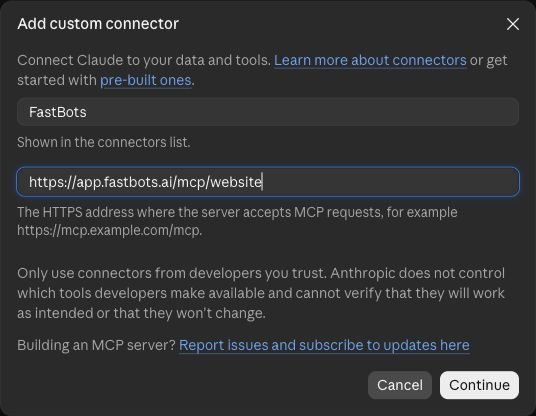
In Claude’s sidebar, choose Customize → Connectors. Choose Add → Add custom connector.

Add FastBots
Enter FastBots as the name. Use https://app.fastbots.ai/mcp/website as the server URL, then choose Continue.
Check the server
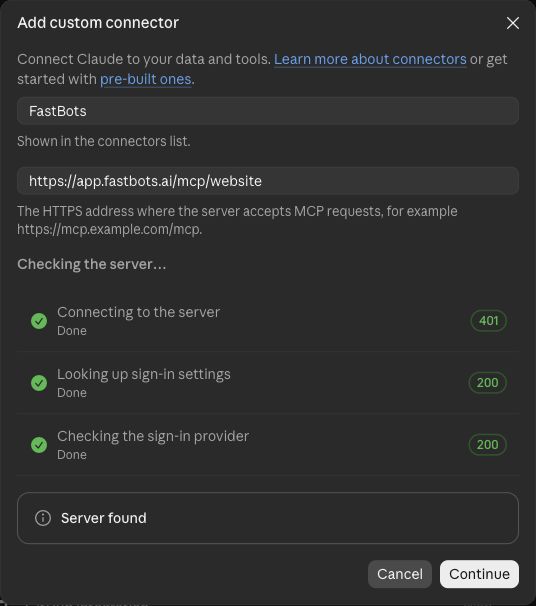
Wait for Server found, then choose Continue.
Choose sign-in options
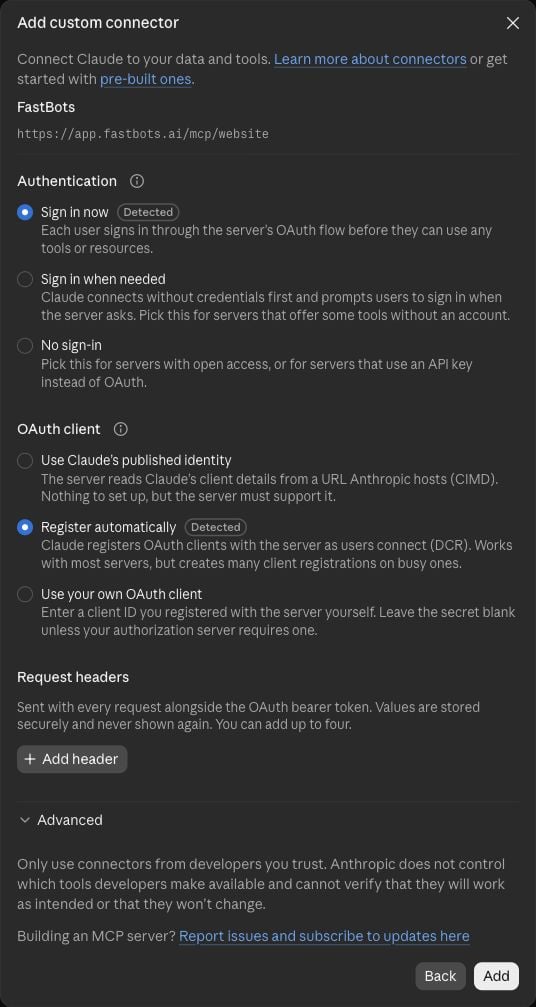
Keep the detected Sign in now and Register automatically options. Choose Add, then Connect.
Connect your FastBots account
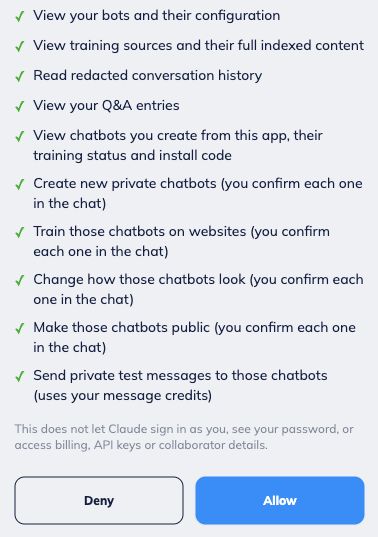
Check the account shown and read every permission. Choose Allow only if you approve the access. Private test messages use your FastBots credits.
Open a chat
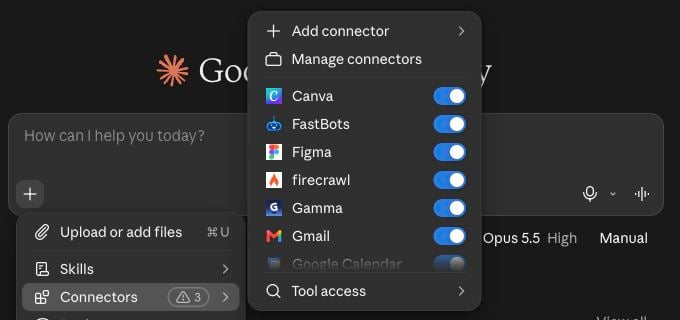
Return to Claude and check that FastBots is connected. Open a new chat and make FastBots available from the connectors menu.
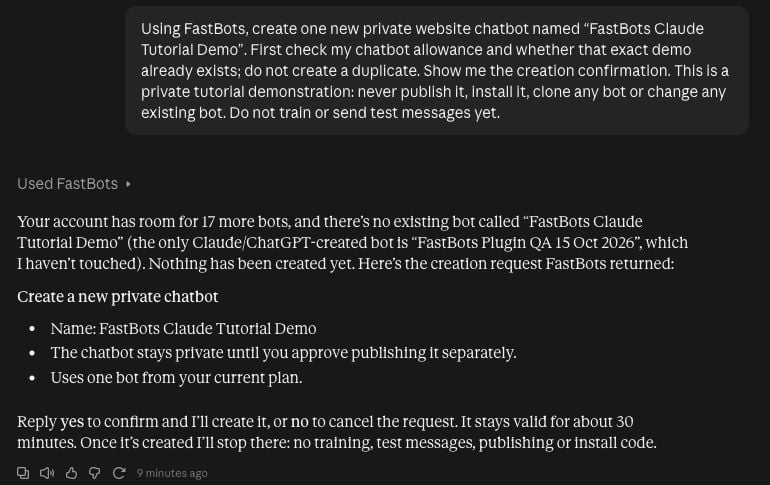
Create your bot
Ask: “Create a private website chatbot called [bot name].” Check the name and approve the creation request.
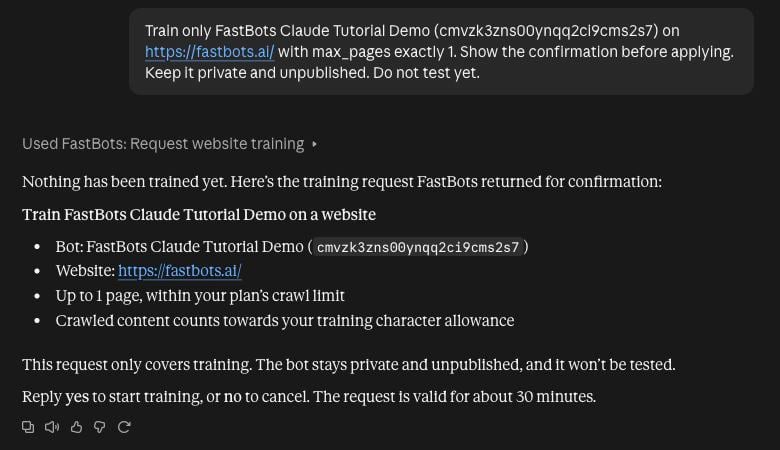
Add your website
Ask: “Train [bot name] on [your website URL], using up to [number] pages.” Check the URL and page limit before confirming. Wait until training is ready.
Test your bot privately
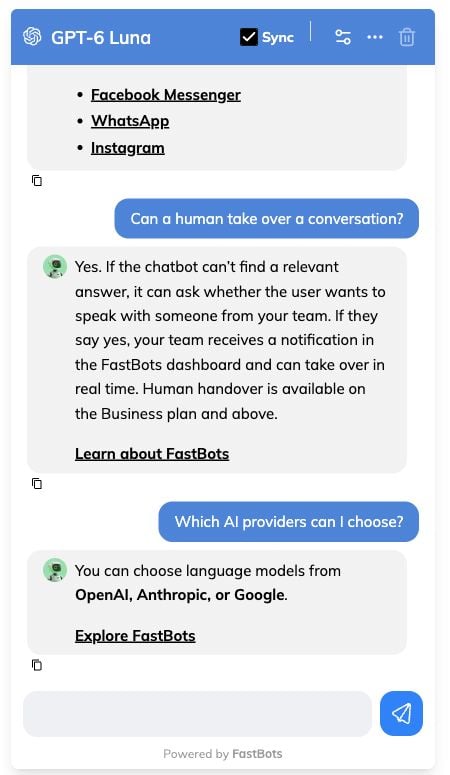
Ask Claude for this bot’s private test link, then open it while signed in to FastBots. In Test Your Bot, confirm the model and credit cost before sending questions your website answers.
This example used four messages with GPT-6 Luna (1 credit per reply). Claude provided the link; the tests ran in the FastBots dashboard.
Review and improve answers
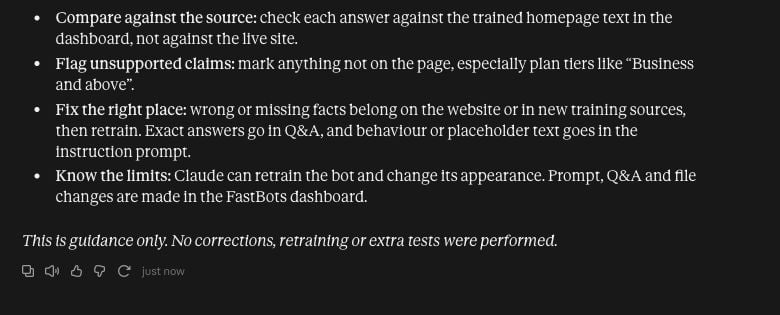
Compare each answer with the trained source. Flag unsupported claims or missing details before deciding what to change.
This example shows review guidance only; no correction or retraining was performed. Use the dashboard for prompt or Q&A edits, then approve any further tests and credit use.
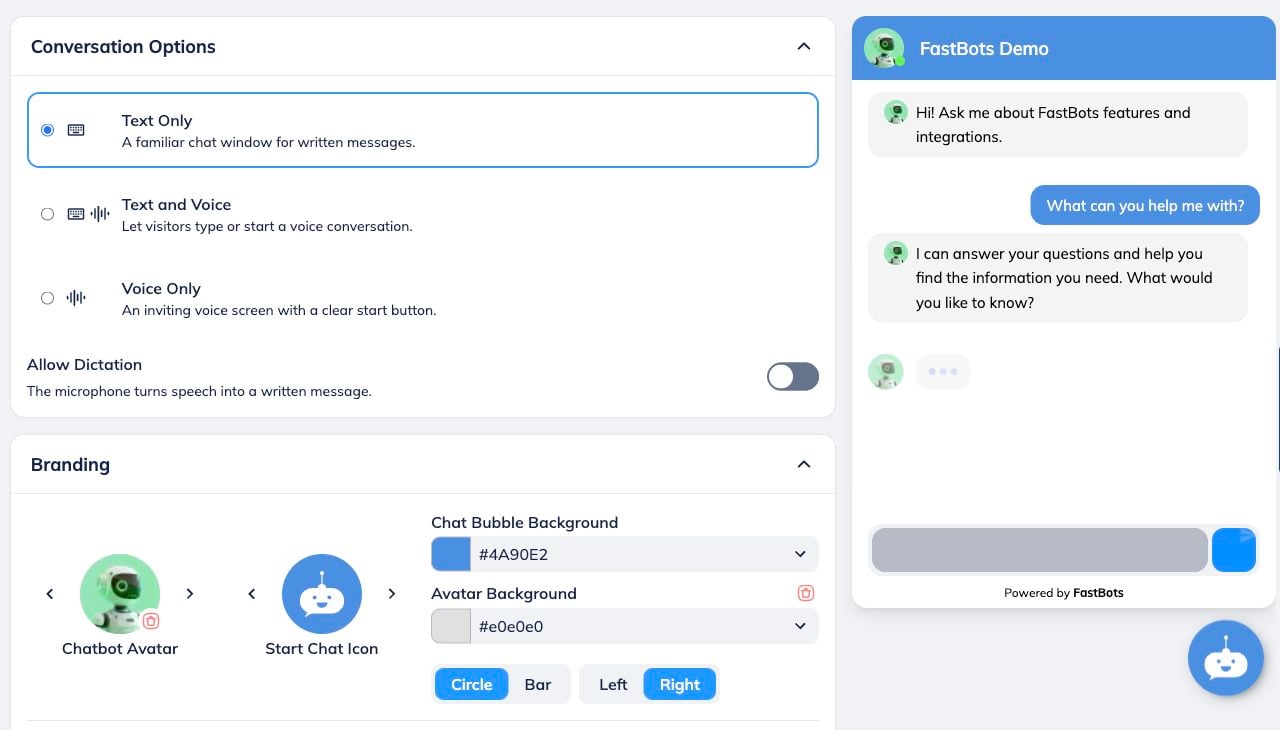
Customise its appearance
Ask Claude to change the title, welcome message or colour. Give the exact values and review the changes before confirming.
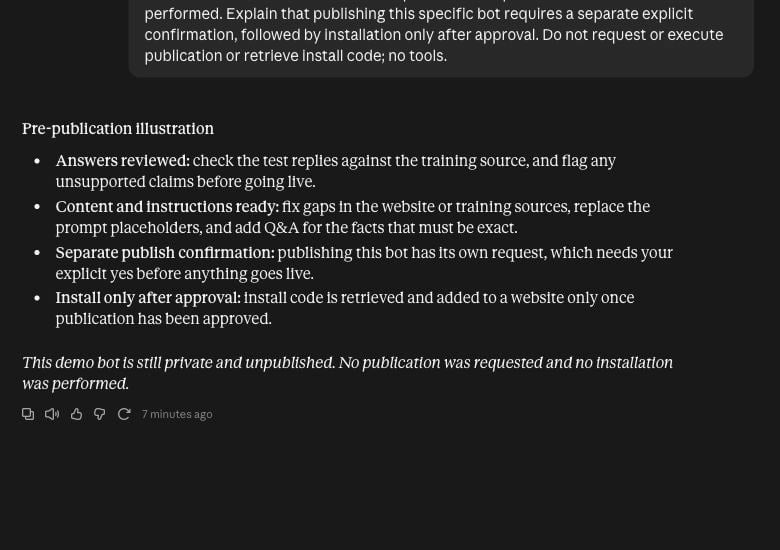
Pre-publication illustration
Review answers and instructions before going live. Publishing this specific bot needs a separate explicit confirmation; install it only after approval.
This demo remains private and unpublished. No publication or website installation was performed.
Need help?
Use the FastBots dashboard for files, Q&A and prompt changes. Dashboard-created bots are read-only in this integration. Write actions apply to your integration-created bots.