

How to Install FastBots on Typo3
Follow these simple steps to install your chatbot on a site built with Typo3.
How to Get Your FastBots Chatbot Code
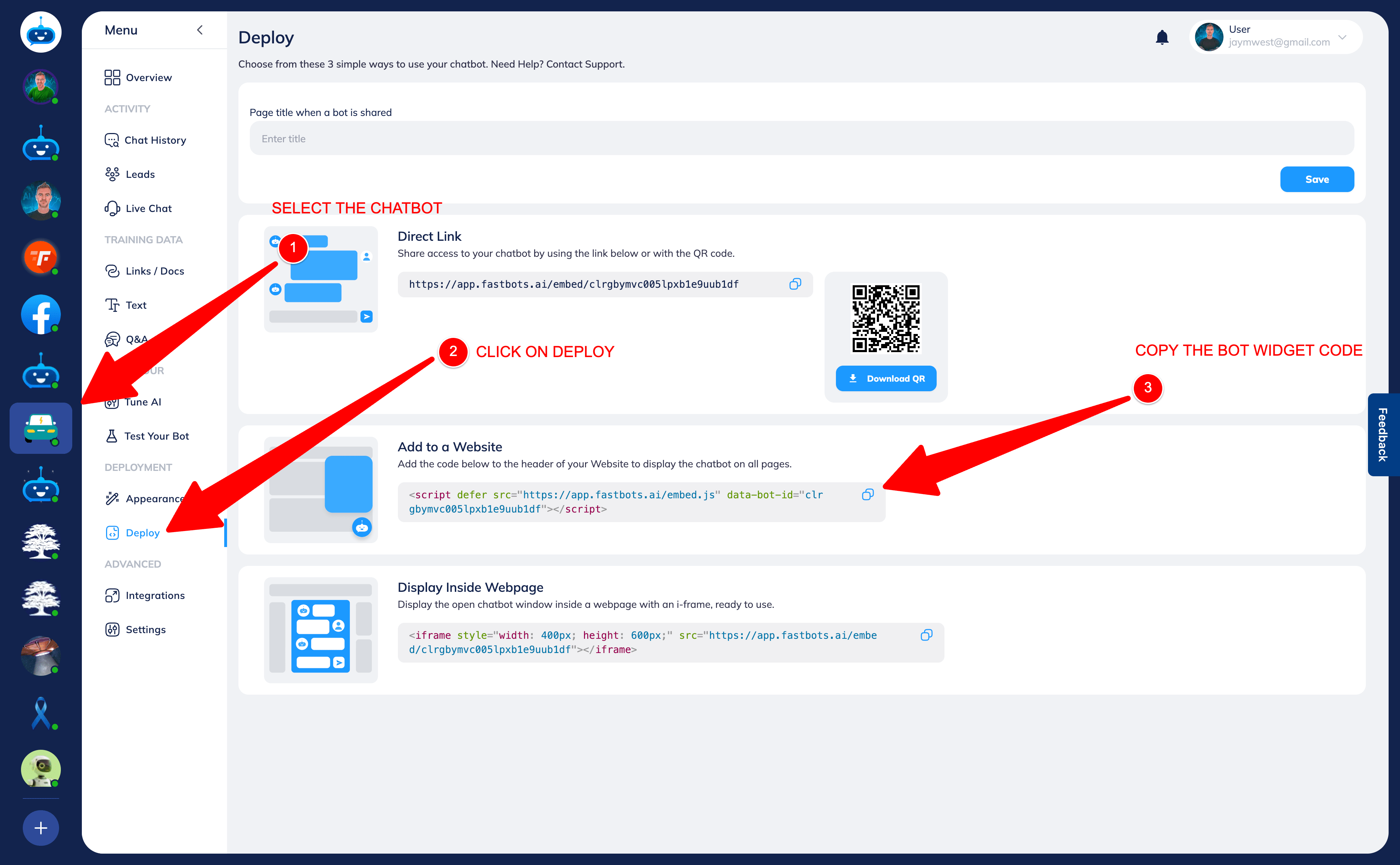
Before installing your chatbot on any platform, you’ll need your widget code.
Log in to FastBots.
Select the chatbot you want to install.
Click Deploy in the left-hand menu.
Scroll to Add to a Website.
Copy the script code using the copy icon.
You’ll paste this code into your website builder so the chatbot appears across all pages.
Step 1 — Add the script to your site template
- Log in to your Typo3 backend.
- In the left-hand menu, go to Template.
- Select Edit the Whole Template Record for your active site.
- Open the Setup field.
- Add your FastBots script code inside the header section using Typo3’s template syntax, for example: page.headerData.999 = TEXT page.headerData.999.value ( <script defer src="https://app.fastbots.ai/embed.js" data-bot-id="YOUR-BOT-ID"></script> )
- Click Save.
Step 2 — Confirm installation
Visit your live website and refresh the page — your FastBots chatbot should now appear across your entire Typo3 site. Enable and test voice After installing or sharing your bot, open Deployment → Chat Widget → Conversation Options. Choose Text and Voice or Voice Only, configure the voice settings, then click Save Changes. Test the published website widget or shared link. Allow microphone access when your browser asks, speak a question and check that you can hear the reply. Check the text fallback too. Voice previews and test calls use message credits. The setup wizard currently creates a text bot; enable voice afterwards in Chat Widget. Follow the Chat Widget and voice guide for the complete settings.