

How to Enable Dictation (Speech to Text)
Let visitors speak a message instead of typing. Dictation converts speech into a written message; two-way voice conversations are enabled separately.
Sign in to FastBots and open your chatbot.
Under Deployment, select Chat Widget. This page was previously called Appearance.
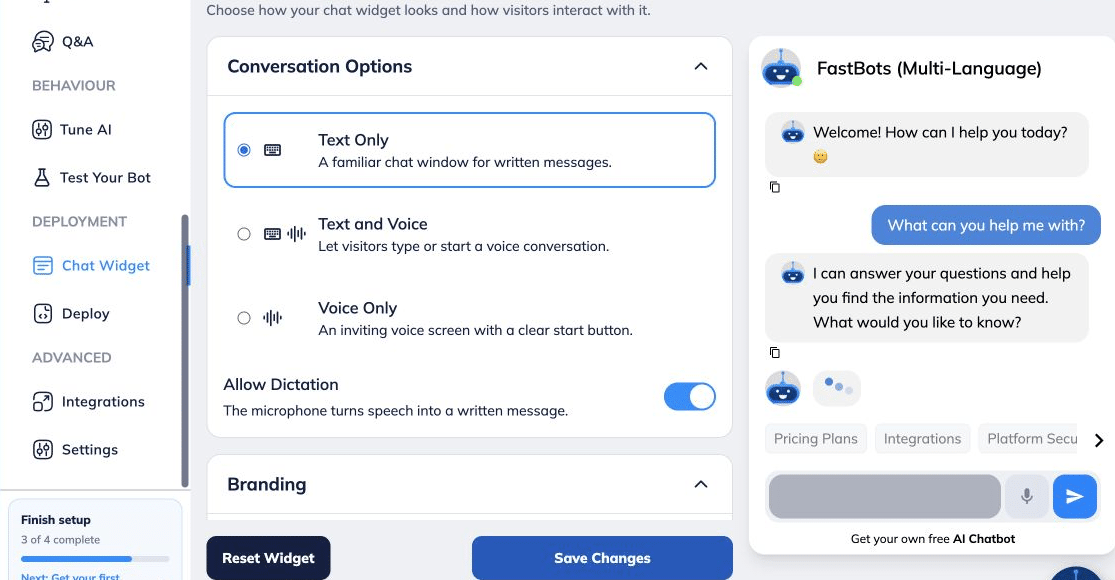
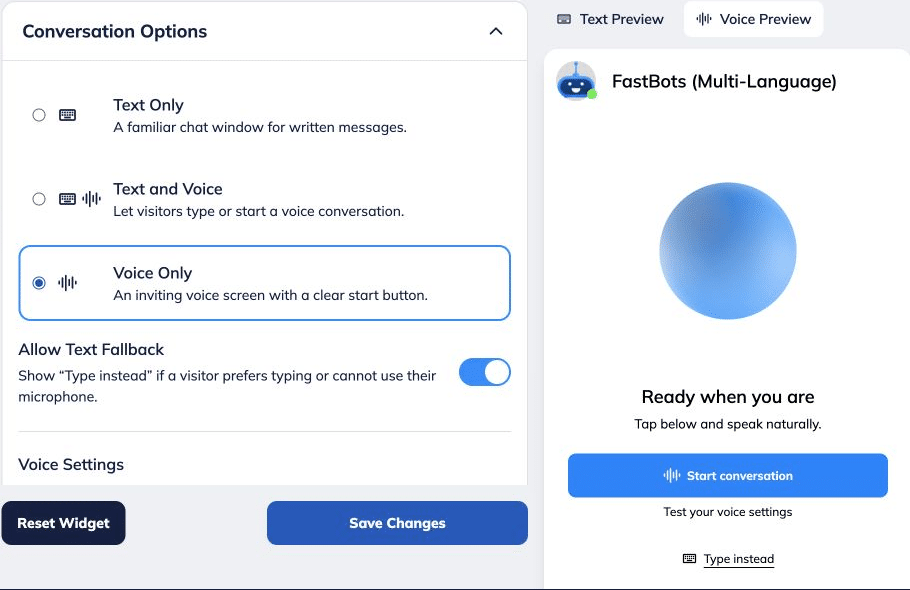
Open Conversation Options. For Text Only or Text and Voice, enable Allow Dictation.
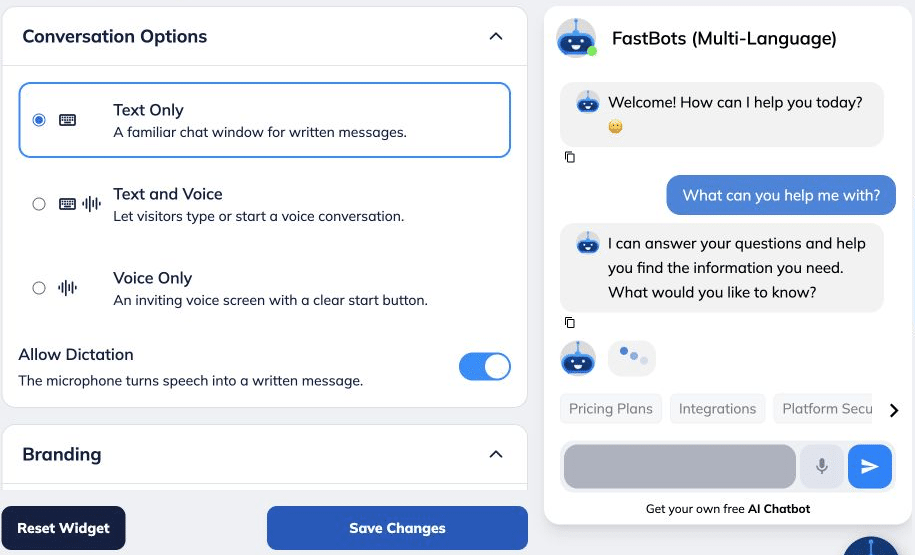
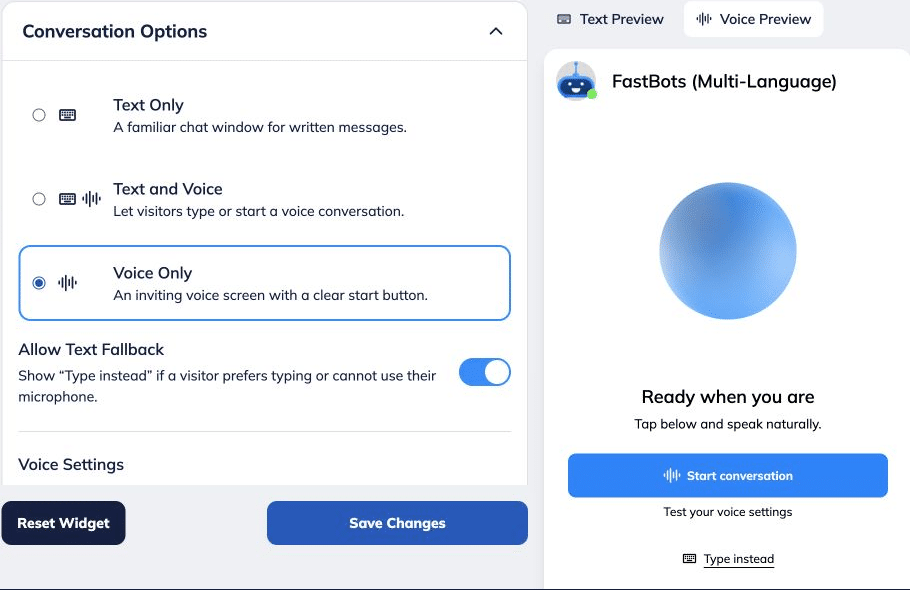
Using Voice Only? Enable Allow Text Fallback, then open Text Chat Appearance and enable Allow Dictation there. Visitors can choose Type instead to access written chat.
Click Save Changes to apply your configuration.
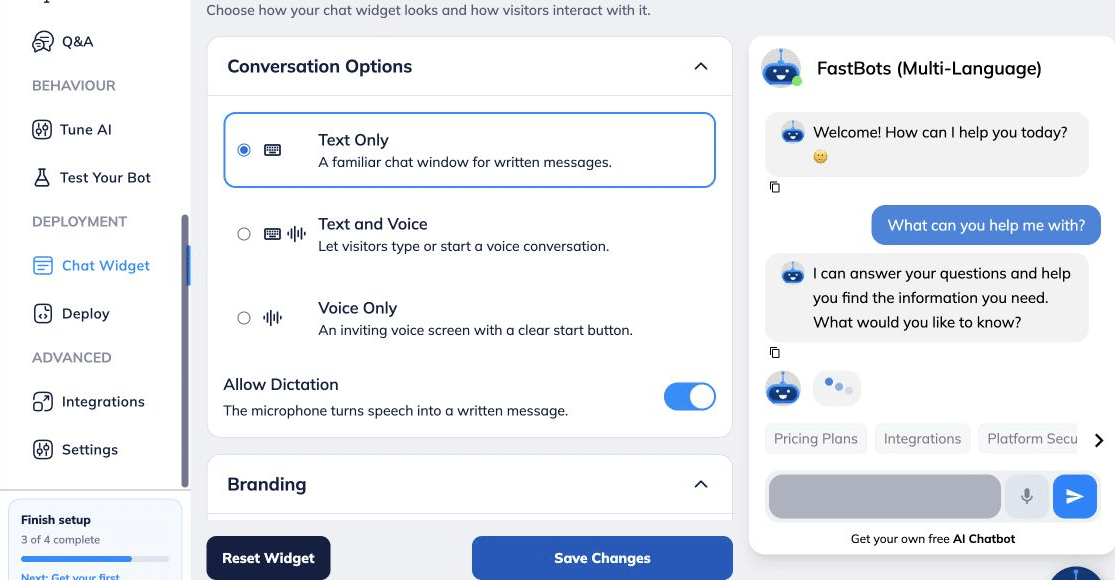
Open the visitor’s text chat. In Voice Only, select Type instead first. Use Dictate a message and allow microphone access when prompted.
Speak your message, check the written text and send it. Want the chatbot to reply aloud? Choose Text and Voice or Voice Only. See How to Customise Your Chat Widget and Enable Voice Conversations.
.](https://assets.guidejar.com/uploads/b898674f-938e-43f5-8340-ed2eef6b5ac1/lIb8emhxYeXedUErYKM3uPlaFUX2/03385dfe-eb80-4d06-8799-da819fac4bc6/1790331072742.png)